

Stateful Agent Orchestration (SAO): A Methodology for Breaking Through AI Agents' Memory Wall
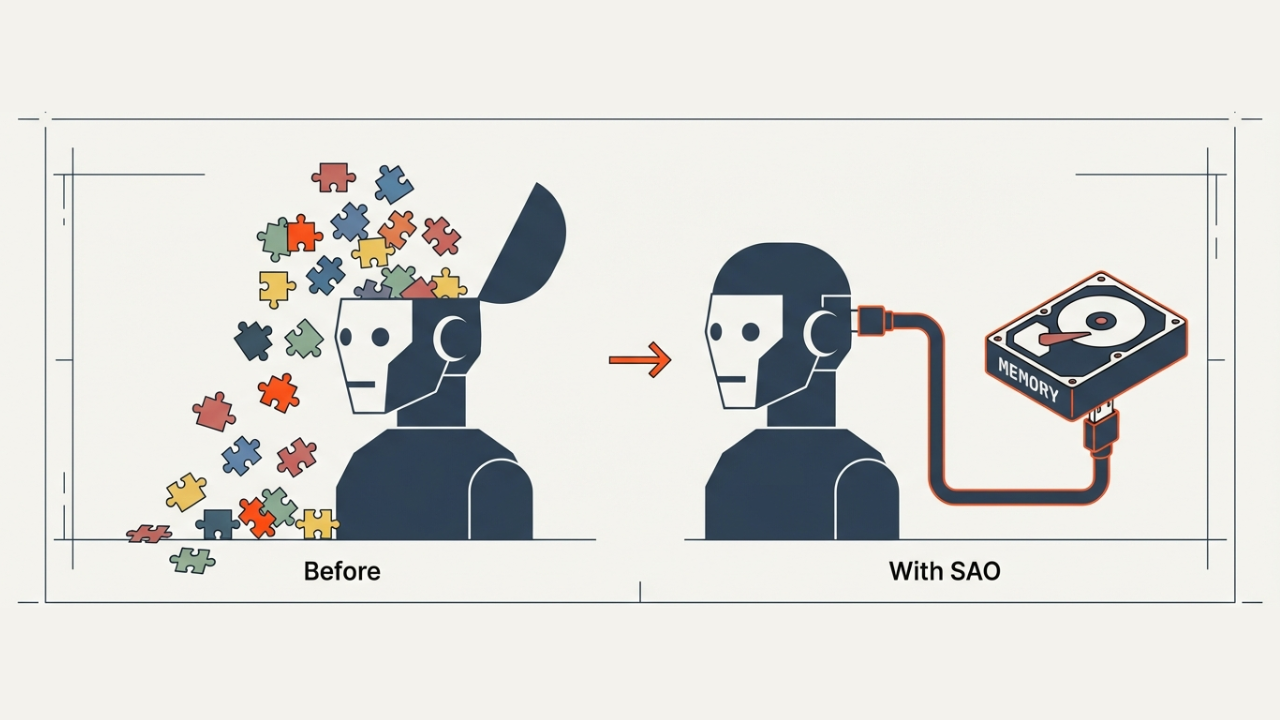
Introduction: The "Amnesia" Problem of AI Agents
Claude, GPT, Gemini—AI agents have become indispensable in development workflows. Code reviews, bug fixes, new feature implementations, documentation. They're remarkably capable.
But only within a single session.
Traditional AI Agents:

  Session 1 → [Auth feature design complete] → Session ends → Memory lost 💨
  Session 2 → "Continue with the auth feature" → "What are you talking about?"
This is what we call the "amnesia problem."
For large-scale projects, this becomes critical. A week's worth of architectural design, three days of accumulated implementation decisions—all reset to zero the moment a new session begins. You end up re-explaining everything from scratch, repeating the same mistakes over and over.
SAO (Stateful Agent Orchestration) was created to solve this problem.
What is SAO?
SAO (Stateful Agent Orchestration) is a methodology that solves AI agents' memory limitations through document-based state persistence.
In short, it's an approach that places "persistent memory outside the AI's brain."
With SAO:

  Session 1 → [Work] → Save state to documents 📝 → Session ends
  Session 2 → Restore state from documents 📖 → [Continue from where we left off]
Just as humans create project handover documents, AI agents save their work state in a "transferable format." The next session (or the next agent) can read those documents and continue the work.
Understanding Through Examples
Concepts alone can be hard to grasp, so let's first look at SAO in action through concrete examples.
Example 1: Adding Authentication to a ToDo App
A project to add "user authentication" to an existing ToDo app.
Phase Structure
| Phase | Name | Description |
|---|---|---|
| 1 | Auth Foundation | Supabase Auth setup, DB schema, basic API |
| 2 | Google Auth | OAuth setup, login button, callback handling |
| 3 | Email Auth | Signup/login forms, validation |
| 4 | Password Reset | Reset email, new password screen |
Without SAO (Traditional Approach)
【Day 1】
  Claude: I designed the DB schema and set up Supabase Auth
  → Session ends

【Day 2】
  User: Continue from yesterday
  Claude: Sorry, how far did we get? What was designed?
  User: Um, the DB schema and... (10 minutes of explanation)
  Claude: Got it. So... (proceeds while re-confirming everything from scratch)
With SAO
【Day 1】
  Claude: Completed through Phase 1 Step 2
         → Progress recorded in README.md
         → "Step 3: API implementation not started" clearly noted
  → Session ends

【Day 2】
  Claude: Checking README.md... Resuming from Phase 1 Step 3
         → Work continues immediately without explanation
Actually Generated Documents
In an SAO project, documents like the following are generated and updated:
# Phase 1: Auth Foundation

| Progress | `In Progress` 🔄 |
| Started | 2026-01-10 |
| Owner | Claude |

## Step Progress

### Step 1: Create DB Schema
| Status | `Complete` ✅ |

- [x] Create users table
- [x] Create sessions table
- [x] Verify migration applied

### Step 2: Supabase Auth Setup
| Status | `Complete` ✅ |

- [x] Verify project settings
- [x] Enable auth providers
- [x] Configure redirect URLs

### Step 3: Auth API Implementation
| Status | `Not Started` |

- [ ] Signup endpoint
- [ ] Login endpoint
- [ ] Logout endpoint

## Update History

| Date | Author | Content |
|------|--------|---------|
| 2026-01-10 | Claude | Steps 1-2 complete |
In the next session, simply reading this README makes it immediately clear: "Start from Step 3."
Example 2: Large-Scale Refactoring (1+ Week)
A project to migrate a legacy REST API to GraphQL. With 50+ endpoints, there's no way to finish in a single session.
Phase Structure and Dependencies
Phase 1: Foundation (GraphQL server setup, schema design)
    │
    ├──► Phase 2: User APIs (User, Profile, Settings)
    │
    ├──► Phase 3: Content APIs (Post, Comment, Like)
    │
    └──► Phase 4: Notification APIs (Notification, Subscription)
                                │
                                ↓
                    Phase 5: Legacy API Deprecation
After Phase 1 completes, Phases 2-4 can proceed in parallel. Phase 5 begins once all are complete.
Execution Across Sessions
【Monday】Session 1: Phase 1 complete
【Tuesday】Session 2: Phase 2 Steps 1-3 complete
【Wednesday】Session 3: Phase 2 complete, Phase 3 started
【Thursday】Session 4: Phase 3 Steps 1-2 complete ← Blocker encountered here
【Friday】Session 5: Blocker resolved, Phase 3 complete
【Next Monday】Session 6: Phase 4 complete
【Next Tuesday】Session 7: Phase 5 complete → Project complete 🎉
Even across 7 sessions, each session allows the agent to immediately understand "where we are" and "what to do next."
How SAO Works
Now that we've grasped the concept through examples, let's look at SAO's mechanisms in detail.
The Four Pillars
SAO is built on four principles.
1. Goal Definition: Why / What / Success State
In SAO, we don't just define "what to do (What)"—we clearly define "why we're doing it (Why)" and "what becomes possible when we succeed (Success State)".
┌─────────────────────────────────────────────────────────────┐
│ Why (Why are we doing this?)                                │
│   → Current problems, pain points, motivation               │
├─────────────────────────────────────────────────────────────┤
│ What (What are we building?)                                │
│   → Specific features, deliverables                         │
├─────────────────────────────────────────────────────────────┤
│ Success State (What becomes possible after completion?)     │
│   → The world after completion, what users can do           │
└─────────────────────────────────────────────────────────────┘
Why does this matter?
AI agents face countless decisions during implementation. "Is this feature necessary?" "Should we handle this edge case?"
"What" alone isn't enough to decide. With "Why" and "Success State," agents can make autonomous judgments.
# Example design.md

## Why (Background/Motivation)
Currently, only I can see whether ToDos are complete or not.
I want to share with the team, but taking screenshots and posting to Slack every time is tedious.

## What (What we're building)
Implement a ToDo list sharing feature.

## Success State (The world after success)
- Team members can view others' ToDo lists with just one link
- Progress is visible without asking "What did you do today?"
With this definition, when you wonder "Should we add notifications too?" during implementation, you can judge by asking "Is it necessary to achieve the Success State?" The answer is "No, being able to view is sufficient."
This goal definition is done at two levels: the entire project and each Phase (more details in "Goal Hierarchy" below).
2. Structured Documents
{project}/
├── README.md                    # Entry point, overall progress
├── design.md                    # Vision, design philosophy
├── phase1/
│   ├── README.md               # Phase progress, checklists
│   └── implementation-plan.md  # Detailed implementation plan
├── phase2/
│   └── ...
└── phase3/
    └── ...
The document structure itself reflects the project structure. Open the README to know where you are; read design.md to understand where you're headed.
3. Explicit State Management
Phase/Step State Transitions:

  Not Started ───→ In Progress ───→ Complete
                        │
                        ↓
                    Blocked
"Kinda done" isn't acceptable. Every Phase, every Step has an explicit status. Checkmarks ✅ provide objective progress indicators.
4. Standardized Handoffs
At Session Start (receiving the handoff):
- Read the project README → Grasp the big picture
- Read design.md → Understand vision and design philosophy
- Read the current Phase README → Understand detailed progress
- Read implementation-plan.md → Confirm specific implementation approach
- Begin work
At Session End (handing off):
- Update checklists
- Update status
- Add to update history
- Document incomplete tasks
- Commit and push
This eliminates the need to think about "what to tell the next agent." Just follow the protocol.
Project Structure: Project → Phase → Step
SAO manages projects in a hierarchical structure.
Project (Entire Project)
  │
  ├── Phase 1 (Major Work Unit)
  │     ├── Step 1 (Specific Task)
  │     ├── Step 2
  │     └── Step 3
  │
  ├── Phase 2
  │     └── ...
  │
  └── Phase N
Project: The ultimate goal you want to achieve. Examples: "Implement authentication system."
Phase: A meaningful intermediate milestone. Each Phase represents a "completable" state.
Step: A specific task. Sized to be completable within a single session.
The 5 Elements of Phase Design
Each Phase is defined by these five elements:
┌─────────────────────────────────────────────────────────────┐
│ Phase N: {Phase Name}                                       │
├─────────────────────────────────────────────────────────────┤
│ 1. Purpose                                                  │
│    → What this Phase achieves                               │
│                                                             │
│ 2. Why It's Needed                                          │
│    → Why this Phase must come first, relationship to prior  │
│                                                             │
│ 3. Goals                                                    │
│    → Functional requirements this Phase delivers            │
│    → Format: "Users can..." / "System can..."               │
│                                                             │
│ 4. Success Criteria                                         │
│    → Objectively verifiable completion conditions           │
│                                                             │
│ 5. Dependencies                                             │
│    → Phases that must be completed first                    │
└─────────────────────────────────────────────────────────────┘
Goals: Enumerate Functional Requirements
A key characteristic of SAO's Goals definition is clearly enumerating "functional requirements this Phase delivers."
# Phase 1: Auth Foundation Goals

- Users can sign up with email address
- Users can log in/log out
- Sessions persist after page reload
- Unauthenticated users cannot access protected pages
Why write as functional requirements?
- Clear verification: Completion can be judged as "can/cannot"
- Clear scope: What to build is concrete
- Bridge to next Phase: Features achieved in Phase 1 become prerequisites for Phase 2
If Phase 1's Goals aren't achieved, Phase 2 implementation becomes difficult. This chain gives "reasons" to dependencies.
Concrete Example: Phase Design for Auth System
### Phase 1: Auth Foundation

#### Purpose
Build the DB, API, and configuration needed for authentication

#### Why It's Needed
Both Google auth and email auth are built on top of this foundation

#### Goals
- Users can sign up with email address
- Users can log in/log out
- Sessions persist after page reload

#### Success Criteria
1. Can create test user in users table
2. /api/auth/session returns successful response
3. Auth middleware rejects unauthenticated requests with 401

#### Dependencies
- None
Goal Hierarchy
The Why / What / Success State explained in "The Four Pillars" are project-wide goals. In SAO, goals are also defined for each Phase.
┌─────────────────────────────────────────────────────────────┐
│ Project-Wide Goals (design.md)                              │
│                                                             │
│   Why: Why this project is needed                           │
│   What: What we're building                                 │
│   Success State: What becomes possible after completion     │
│                                                             │
│   → The "North Star". Where to return when lost             │
├─────────────────────────────────────────────────────────────┤
│ Phase 1 Goals                      │ Phase 2 Goals          │
│                                    │                        │
│ Purpose: What this Phase achieves  │ Purpose: ...           │
│ Why It's Needed: Why first         │ Why It's Needed: ...   │
│ Goals: Functional requirements     │ Goals: ...             │
│ Success Criteria: Completion conds │ Success Criteria: ...  │
└─────────────────────────────────────────────────────────────┘
To reach the project-wide Success State, we achieve each Phase's Goals. This hierarchical structure is the mechanism for "divide and conquer" in large-scale projects.
How SAO Differs from Traditional Design Documents
SAO is "design documentation for AI agents." It differs from traditional design documents in several ways.
1. Plans are "Proposals," Not "Commands"
Traditional Plans:
Plan → Approval → Execute (according to plan)
Change needed → Change request → Re-approval → Execute
SAO Plans:
Plan → Start execution → Discover gap with reality → Autonomously judge & adapt → Document with notes
In SAO, the implementation-plan is treated as a "proposal," not a "perfect plan."
Agents approach work with these attitudes:
- Question the plan: Always be aware the plan might diverge from reality
- Fill in gaps: If the plan is lacking, check subsequent step contents first
- Judge autonomously: If subsequent steps don't fill the gap, make your own judgment and implement
- Document it: Always note plan deviations in the Phase README progress
## Update History (Example with Special Notes)

| Date | Author | Content |
|------|--------|---------|
| 2026-01-13 | Agent | Step 2 complete. Added error handling not in plan (Reason: API spec changed) |
2. The "Reader" is an AI Agent
Traditional Design Docs:
- Assumes humans will "understand" by reading
- Reading between the lines, implicit understanding
- Visual communication through diagrams
SAO Design Docs:
- Assumes AI agents can "immediately grasp state"
- Everything explicit, ambiguity eliminated
- Text-based and structured (Markdown)
# Typical traditional design doc statement

"Implement authentication feature. Details to be discussed."

# SAO statement

### Phase 1: Auth Foundation
| Progress | `In Progress` 🔄 |

#### Goals
- Users can sign up with email address
- Users can log in/log out
- Sessions persist after page reload

#### Success Criteria
1. After signup, verify login works
2. After logout, verify protected pages are inaccessible
3. "State" is a First-Class Citizen
Traditional Project Management:
- Progress reported verbally in meetings
- Status managed separately in Excel or Jira
- Design docs and progress tracking are separate
SAO:
- Progress is embedded in documents themselves
- Status is part of design docs
- Reading design docs shows progress
The moment you open a document, you know "where we are."
4. "Handoff" is the Default
Traditional Design Docs:
- Often the writer implements
- Handoffs are exceptional events
- "Handoff materials" created separately when needed
SAO:
- Every session involves a handoff by default
- Handoff protocol is standardized
- Documents themselves are handoff materials
AI agents experience "amnesia" every time. That's why every session is a "handoff," and documents are always written assuming "the next agent will read this."
Comparison Table
| Aspect | Traditional Design Docs | SAO Design Docs |
|---|---|---|
| Reader | Humans | AI Agents |
| Plan treatment | Commands (follow) | Proposals (critically evaluate) |
| State management | Separate system | Embedded in documents |
| Handoffs | Exceptional event | Every session |
| Ambiguity | Tolerated (read between lines) | Eliminated (everything explicit) |
| Goal definition | What-centric | Why + What + Success State |
When to Use SAO
Use It When:
- Scale exceeds a single session — Projects spanning multiple days or weeks
- Three or more phases exist — Phased implementation required
- Multiple agents/people involved — Handoffs occur
- Taking more than a week — Memory persistence needed
Skip It When:
- Completable in one session
- Simple bug fixes
- Independent small tasks
Consider the overhead. SAO involves documentation costs. It's not suited for small tasks.
Benefits and Drawbacks
Benefits
| Benefit | Description |
|---|---|
| Continuity | Work can continue even when sessions disconnect. This is the primary benefit |
| Transparency | Progress is visible. "Where we are" is clear at a glance |
| Reproducibility | Different agents can take over by following the same protocol |
| Quality Assurance | Completion criteria defined for each Step. No more "kinda done" |
Drawbacks
| Drawback | Description |
|---|---|
| Overhead | Document creation and updates have costs. Not suitable for small tasks |
| Initial Learning Curve | Need to understand SAO methodology and learn template usage |
| Risk of Rigidity | Clinging too tightly to plans can reduce flexibility. Critical approach necessary |
Try It Now
You can introduce SAO to your project with a single npx command.
Quick Start (For Claude Code)
# Run in your project's root directory
npx init-sao-claude
That's all it takes to set up:
.claude/
├── sao/
│   └── concepts/
│       ├── README.md              # SAO methodology explanation
│       └── templates/             # Project templates
│           ├── project-readme.md
│           ├── design.md
│           ├── phase-readme.md
│           └── implementation-plan.md
└── commands/
    ├── sao-starter.md             # /sao-starter command
    └── sao-step.md                # /sao-step command
Usage
After setup, these commands become available in Claude Code:
/sao-starter my-feature
→ Creates a new SAO project "my-feature." Claude will interview you about requirements and propose a Phase structure.
/sao-step my-feature
→ Executes the next Step in project "my-feature." Automatically updates status upon completion.
Actual Flow
User: /sao-starter auth-system

Claude: Tell me about the authentication system.
        1. What do you want to achieve?
        2. Who are the target users?
        3. What features are required?
        ...(interview)

Claude: I'll proceed with this Phase structure:
        - Phase 1: Auth Foundation (DB, basic API)
        - Phase 2: Login/Signup UI
        - Phase 3: Password Reset
        - Phase 4: Session Management Enhancement

        Does this look good?

User: OK

Claude: Project created.
        .claude/sao/projects/active/auth-system/

        Run /sao-step auth-system to start implementation.
User: /sao-step auth-system

Claude: Starting from Phase 1 Step 1.
        ...(implementation)

        Step 1 complete. Status updated.
        Run /sao-step auth-system for Step 2.
Even in the next session:
User: /sao-step auth-system

Claude: Checking README.md... Resuming from Phase 1 Step 2.
        ...(continues immediately without explanation)
Summary
SAO (Stateful Agent Orchestration) is a practical solution to the fundamental problem of AI agent memory limitations.
Four Pillars:
- Goal Definition (Why / What / Success State)
- Structured Documents
- Explicit State Management
- Standardized Handoffs
Use Cases:
- Large-scale projects
- Work involving multiple sessions/agents
- Ongoing development
Get Started Now:
npx init-sao-claude
AI agents are excellent. But to leverage their capabilities in large-scale projects, you need a mechanism to "break through the memory wall."
SAO is one answer to crossing that wall.